
From a WinForms Hack to a Cross-Platform Desktop App
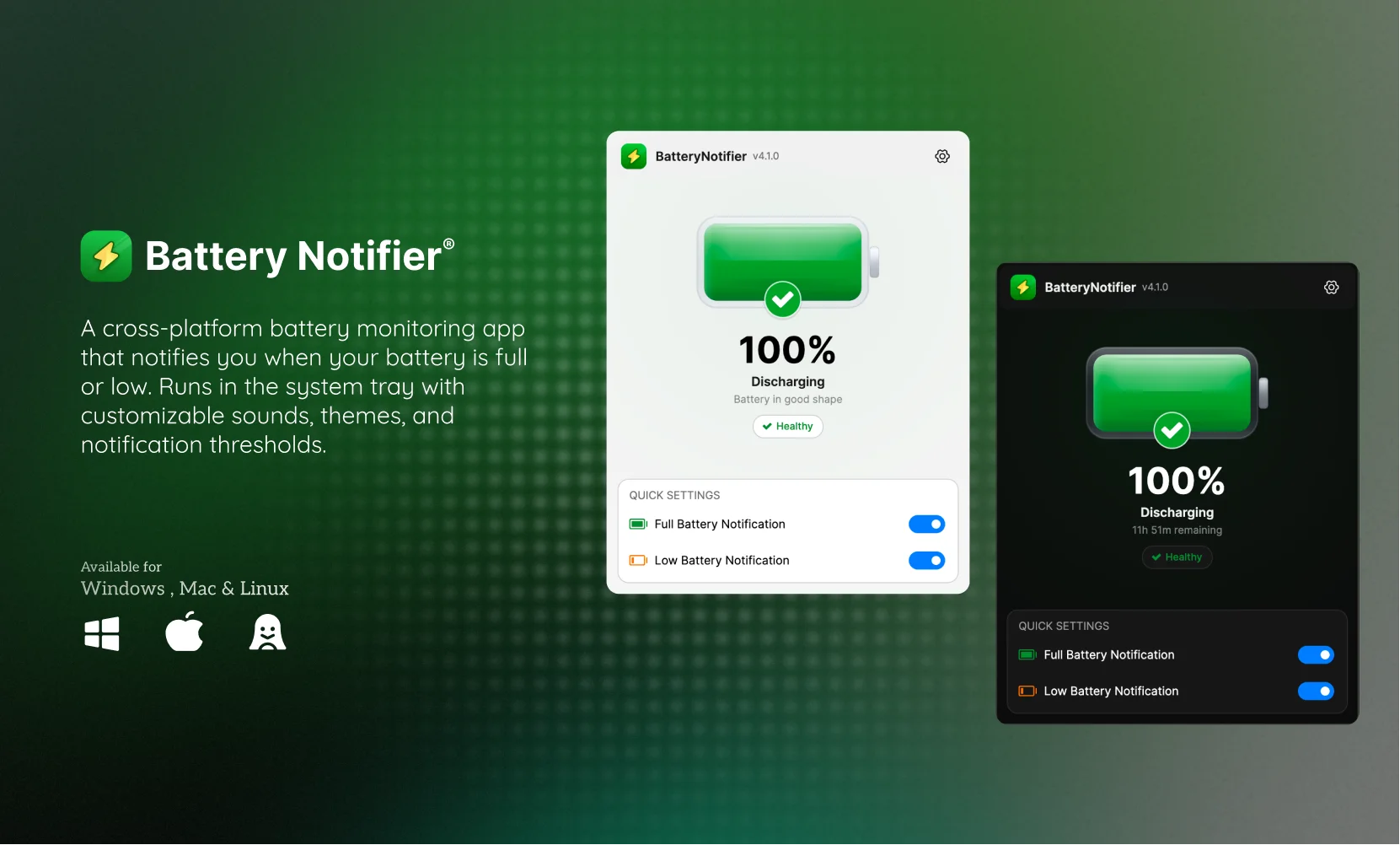 Battery Notifier v2 — now on macOS, Windows, and Linux
Origin of the project
Back in 2022 I had a simple problem. My ageing laptop would die without warning. The battery had degraded so badly that the default Windows alert at 20% was useless. The machine would shut off at 50% or higher, sometimes right in the middle of work.
So I did what any developer does and built a small WinForms utility app that checks the battery status and fires a toast notification when it crosses a threshold. It ran from the system tray and used that every day.
I wrote about that original version a while back, and at the end I said I wanted to rebuild it with AvaloniaUI so it could run on macOS and Linux too.
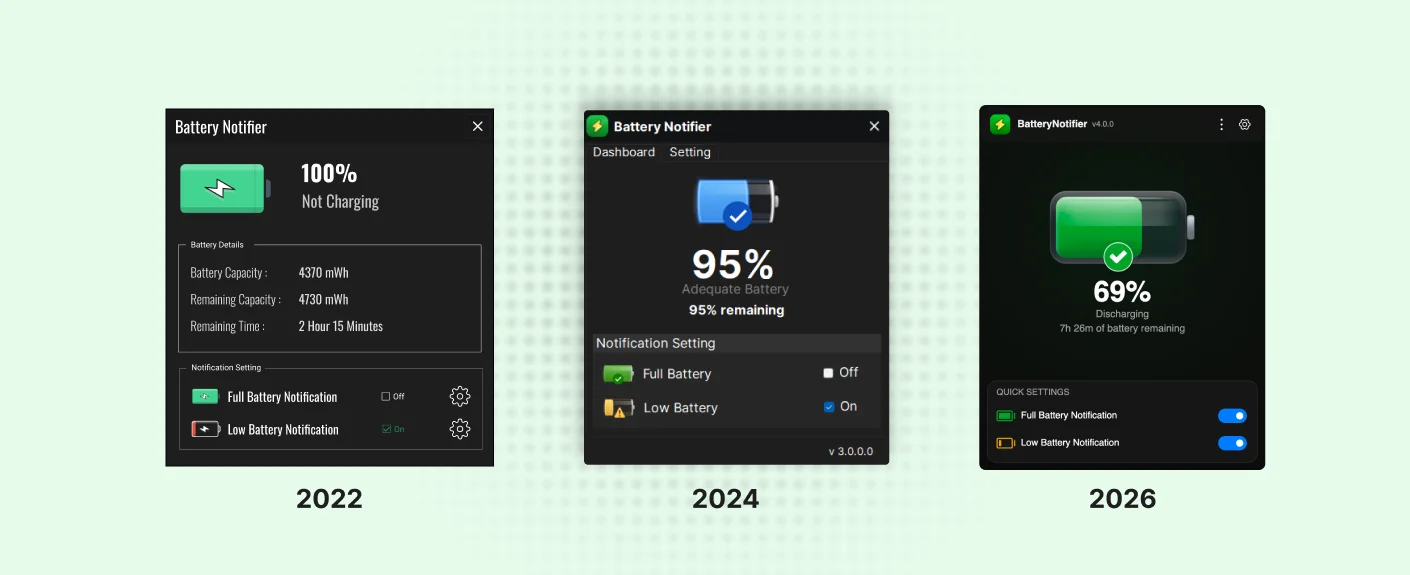 From left to right: the original WinForms release (2022), the redesigned UI (2024), and the current Avalonia cross-platform version (2026).
Why i port my utility app to Avalonia after 4 years
I was not about waiting for Avalonia framework to mature but i thought it would be unnecessary to build for cross-platform.
When I first built Battery Notifier i was just a software developer working mostly on the backend with C# and .NET. I had built POS application using winforms at my work. My understanding of software development was limited to web application mostly. So the experience i gain fro building POS application using winforms, i use that to create a simple basic version of app.
After couple of years i joined IT University of Copenhagen for my master's in Computer Science. For the first time i studied concurrency properly. Before that the most unique and important problem we solve for concurrency was on the database level and not on the application level. We used 'UPDATE and GET' query to fix concurrency issue. For our application we needed to have a unique invoice number for each order and we faced concurrency issue when generating these numbers. At ITU i learned more indepth about concurrency and learned differnt terminologies like : deadlock, race condition, synchronization. One of the lecture discussed about why Whatsapp uses Erlang to handle concurrency, which i have mentioned in my previous blog post Thinking in Design, Not Just Code.
That foundation gave me the confidence to actually attempt this.
The Platform Reality
Confidence is one thing but each operating system fighting you is another.
Getting battery information on windows was simple until you need to implement it on three platforms. On Windows I call GetSystemPowerStatus through P/Invoke, On macOS there is no managed API at all, so I spawn a process pmset -g batt and parse text output with regex.
Detecting charger plug/unplug events was trickier. Windows has WMI power management events. MacOS required registering for Darwin kernel notifications and blocking on a file descriptor in a background thread.
On implementing the features, this app should also care about the Do Not Disturb state. Windows uses an undocumented notification facility API. MacOS changed their DND implementation across Monterey, Ventura, and Tahoe.
Not Just a Port — a Rethink
I did not want to just rewrite the same app with a different UI toolkit. I wanted to raise the standard. If I was going to ship this, it had to feel like a product someone would actually want to install and keep.
The biggest influence on my thinking was Apple's design philosophy. Apple has always raised the bar for design and innovation so i wanted Battery Notifier to feel considered as a intentially designed product and not like a developer's side project.
So, I opened Figma and started on redesign of the app. I had multiple design iterations and also refined the layout,the colour scheme, the iconography, the settings flow and many other aspects of the design. I have alwaysknown that if i need to make the design better then i had to choose a different framework and AvaloniaUI was the right choice for this. I couldnot have done it on the Winforms because it doesnot give that pixel perfect control over the UI elements.
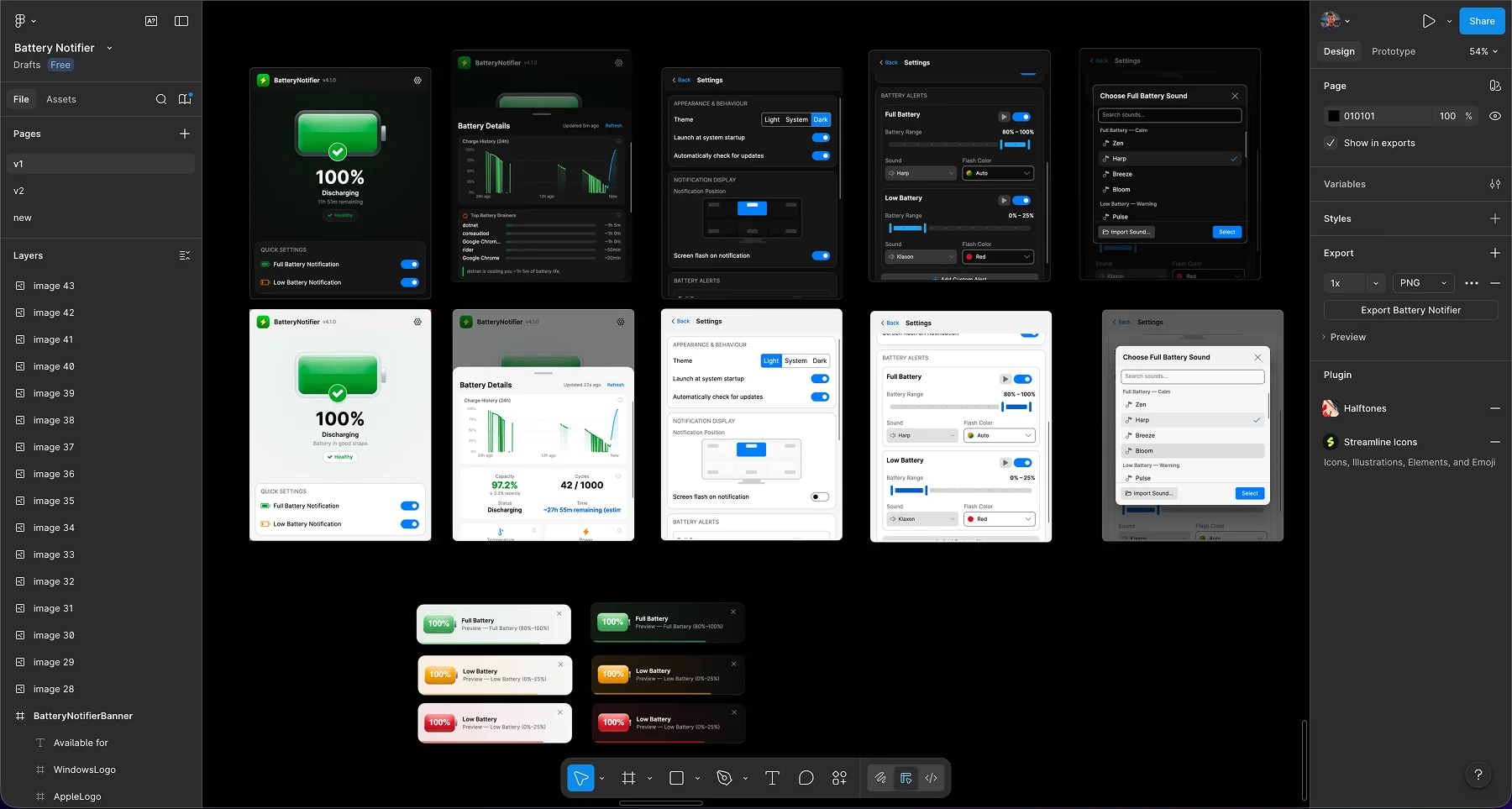 The Figma file with all the screens — dashboard, settings, notification preferences, and the sound picker.
The Notification Problem
Here is the thing about battery notifications. If an app notifies you time to time then it is annoying. The problem of my app was it just used a loop to check for battery status and notifies it in a interval. It feels robotic and annoying when users gets a lot of notification alerts. I need to somehow fix that.
I had been reading a paper from Duolingo on how Duolingo approaches push notifications. Their research paper lays out the core insight clearly — every notification you send has a cost, which is the risk of the user opting out entirely. So instead of sending more, they send smarter. If a user ignores a notification, they back off. They treat the notification channel as a scarce resource to be protected, not a firehose to be maximised.
I took that same principle and built an escalating backoff system. The intervals increase progressively, and after 7 ignored notifications the app goes silent entirely, then auto-recovers after 2 hours. It burrows Duolingo's "recovering arm" concept:
private static readonly TimeSpan[] BackoffIntervals =
[
    TimeSpan.Zero,
    TimeSpan.FromMinutes(2),
    TimeSpan.FromMinutes(5),
    TimeSpan.FromMinutes(10),
    TimeSpan.FromMinutes(15),
    TimeSpan.FromMinutes(30),
    TimeSpan.FromMinutes(45)
];

private const int MaxNotificationsBeforeSilence = 7;

// After two hours of silence the tracker resets,
// giving the user a fresh reminder cycle.
private static readonly TimeSpan RecoveryInterval = TimeSpan.FromHours(2);
The current version running on Windows and macOS — light and dark themes.
How AI helped me to port to cross-platform
AI helped to research and find platform-specific battery APIs and implement them. I then tested them in different operating systems to ensure compatibility. Without AI i would have needed a lot of time to find the right APIs and implement them. Also I have already mentioned that windows had undocumented battery APIs and macOS had no official battery API so AI helped me on researching and finding solutions.
From Repo to Product
I have plenty of side projects that live as repos and nothing else. This time I wanted to go further. I designed in Figma first. I set up the website: batterynotifier.com. I built proper installers for each platform, and wrote release notes.
My first Figma mockup looked nothing like the final app. I went through more iterations than I imagined. Each one got closer to something that felt right.
I find that Cross-platform is still hard and there are many places where you need to do platform-specific things. Although Avalonia helps most of the part i had to write platform-specific code. I also realized why some features of Avalonia does requre licensing because those are hard to get right on all platforms. The cost to maintain the compatibility between platforms was the reason for those pricing.
The source is on GitHub and the app is at batterynotifier.com.