
Battery Notifier — An Open-Source Cross-Platform Desktop App for Battery Management
Visit github.com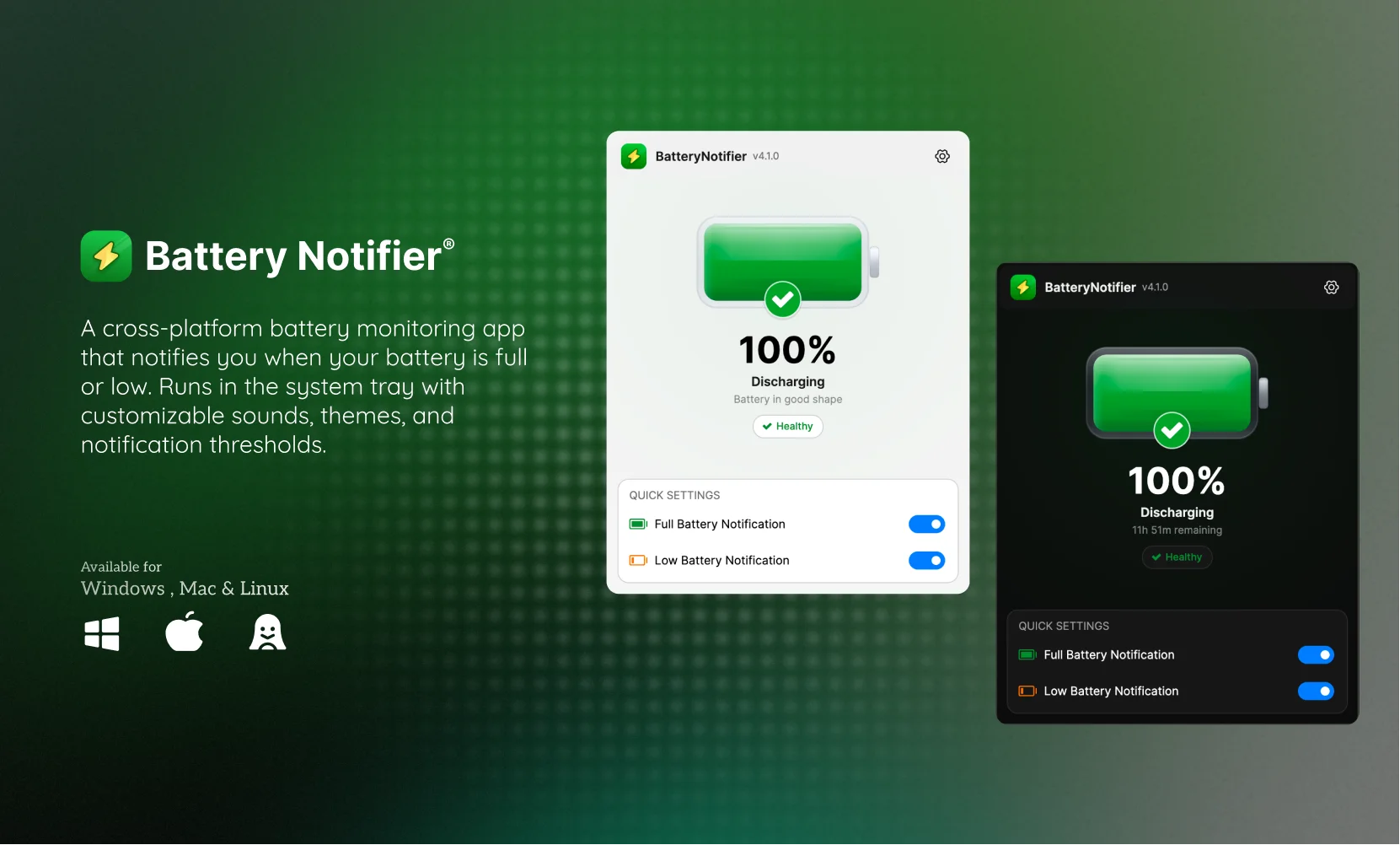 My first opensource desktop app 🖥️
How it started
It was just a normal working day. I was deep into one of my projects when my laptop suddenly shut off. No warning, no low-battery popup, nothing. Just a black screen.
My laptop was from 2017 and the battery had degraded quite a bit by then. Windows usually sends a notification when you're below 20%, but because of the degradation my machine would die well before reaching that point. Sometimes at 50% or more. The default system alert was basically useless for me.
That's when I thought why not just build something myself? A small app that sits in the background and notifies me exactly when I want to be notified.
Why WinForms
I was already familiar with C# and .NET from my day job where I'd built a POS desktop application, so going with WinForms felt natural. I know some people raise an eyebrow at WinForms being "old", but honestly for a lightweight system-tray utility it's more than capable. Most enterprise desktop software still runs on it and it gave me direct access to the Windows APIs i needed without any extra overhead.
The goal was simple to build a small desktop app that runs on startup, lives in the system tray and notifies me on different battery levels
Building it
It polls your battery status on a set interval and fires a native Windows toast notification when the charge crosses a threshold you've defined. You can set a high limit (so you know when to unplug) and a low limit (so you know when to plug in before it's too late).
One thing I had to think about was preventing multiple instances of the app running at the same time, which would cause duplicate notifications. I solved this using a named Mutex. A Mutex is normally used in multithreading to control access to a shared resource. Here i used it at the process level so that if the app is already running then any second launch just exits immediately.
After getting the core working, I wanted to distribute it properly. So I learned how to create an installer that handles the setup wizard, registers the app to run on startup and also supports automatic updates.
I also spent some time on the design side. I Created custom tray icons and kept the settings UI minimal and clean. It was a good chance to flex a bit beyond just writing code 💪.
What I learned
This was my first open-source release on GitHub, which felt like a big deal at the time. Beyond the code itself, I got a real feel for the full lifecycle of a desktop app. From the initial idea through building and testing, all the way to packaging, distributing, and maintaining a public release.
What's next
The app still solves my original problem — and it's come a long way since the first WinForms version. I rebuilt it on Avalonia UI, a modern cross-platform framework for .NET, so it now runs on Windows, macOS, and Linux, distributed via winget and Homebrew. It's picked up 89+ stars on GitHub since. I wrote about that rewrite in From a WinForms Hack to a Cross-Platform Desktop App.